 Kite
Garmin kitesurfing app: jump height, airtime and 3D from your watch
You kitesurf with a Garmin watch and want to see your jumps – live on the wrist and afterwards on the map? KiteJump offers two ways: the free KiteJump Air watch app, or automatic sync of the sessions you already record.
KiteJump Air on your watch
- Detects jumps and shows the height live, plus your highest jump and the number of jumps
- GPS status, estimated calories and training load
- Uploads the session straight from the watch through the Garmin Connect app – no export
- Without a phone nearby the watch keeps about 100 jumps and uploads them later
Runs on Garmin watches with Connect IQ; the store shows whether your model is listed. Tested so far on Forerunner 955 and vívoactive 5 and 6.
Or keep your current app: automatic sync
Link your Garmin account in KiteJump once. From then on every new kite session from your Garmin watch arrives by itself – recorded with KiteJump Air or another kite app. Other sports stay with Garmin, and you can unlink at any time.
No Garmin watch? Phone and Apple Watch
KiteJump also detects jumps on your phone (Android or iPhone) and on the Apple Watch. More on this: kitesurf app for phone and Apple Watch.
What you see on KiteJump
- Every jump with height, airtime and distance, with its take-off point on the map
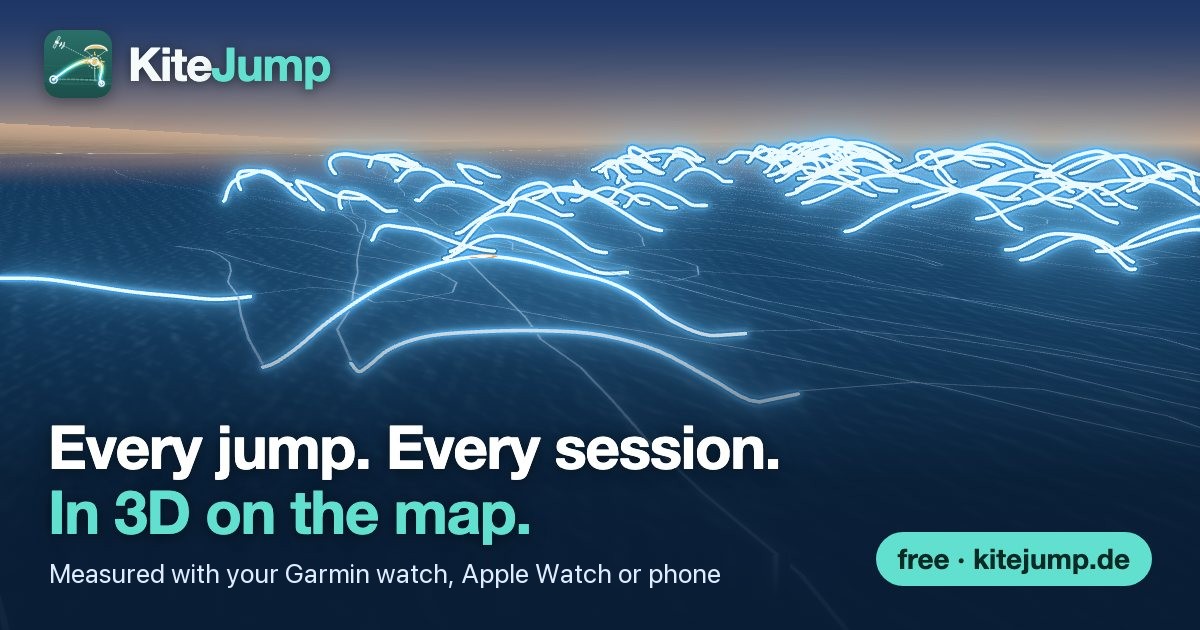
- 3D flight path on satellite imagery
- Logbook by day, personal records: highest jump, longest airtime, most kilometres in a day
- Spots with optional leaderboards, friends and comments
- Video overlay: jump height and airtime burned into your phone video
Set up in four steps
- Sign up for free on kitejump.de or in the Android or iPhone app.
- Install KiteJump Air from the Connect IQ Store. Your phone needs the Garmin Connect app, paired with the watch via Bluetooth.
- Connect the watch to your account: open KiteJump Air, open the menu (Forerunner: hold UP, vívoactive/Venu: tap the screen) → Settings → Account. Enter the 6-digit code under Recording in KiteJump.
- Go kiting: start the session on the watch, save it at the end and leave the app open until “Upload …” disappears. The session then appears in your logbook.
Questions
Is there a Garmin app that measures kitesurf jump height?
Yes. KiteJump Air is a free Connect IQ app for kitesurfing. It detects jumps on the watch, shows the height live and uploads every session to your KiteJump logbook with airtime, distance, map and 3D flight path.
Which Garmin watches are supported?
Garmin watches with Connect IQ – the Connect IQ Store shows whether your model is listed. Tested so far on Forerunner 955 and vívoactive 5 and 6.
Do I need my phone on the water?
No. The watch records on its own and keeps about 100 jumps. Back on the beach it uploads through the Garmin Connect app on your phone.
Does KiteJump also measure without a Garmin watch?
Yes. The KiteJump app also detects jumps on your phone (Android or iPhone) and on the Apple Watch, then uploads the session to your logbook.
How accurate is the jump height from a Garmin watch?
The watch estimates the height from its built-in sensors. Bigger jumps come out well, small ones are rough. For centimetre accuracy we are building the KiteJump sensor (GNSS, with RTK to about 3 cm), currently in development.
Does KiteJump cost anything?
No. The watch app, the website and the phone apps are free and without ads. Your data is yours: export or delete it at any time in the settings.
How watch heights compare with board sensors and GNSS: measuring kitesurf jump height.
More guides
- Measuring kitesurf jump height: watch, board sensor or RTK
- Kitesurf app for phone and Apple Watch: measure jumps yourself
KiteJump is an independent project and not affiliated with Garmin. Garmin and Connect IQ are trademarks of Garmin Ltd.